

Tip Pooling Software for Restaurants
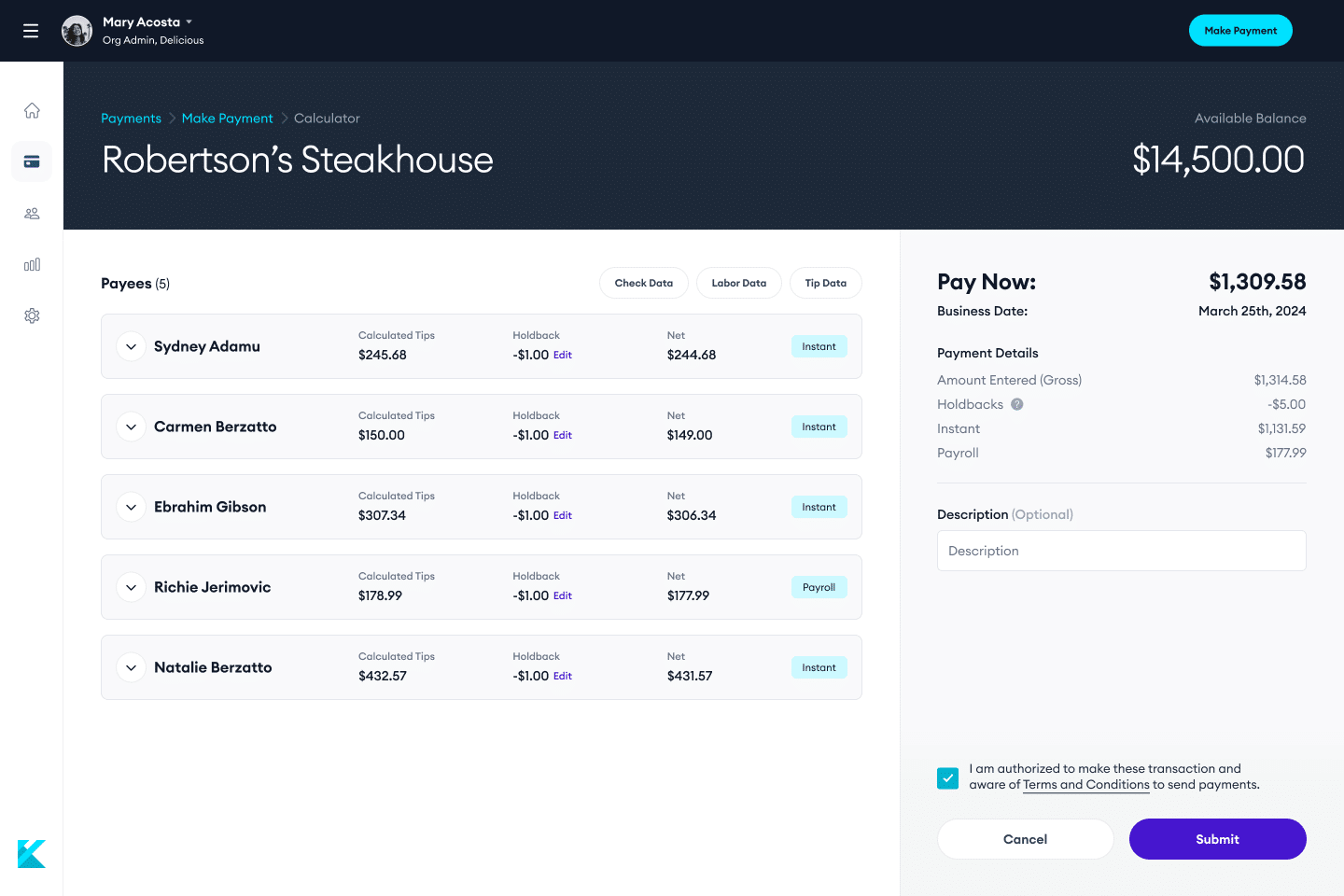
A tip pool calculator splits one pool of tips among employees in proportion to the hours they worked or the points they hold. A tip out calculator works out how much a server shares with bartenders, bussers and other support staff. Use both below, then download the spreadsheet templates further down the page.
The numbers below are an example. Replace them with your own.
$0.00
per hour worked
| Employee | Hours | Share | Payout |
|---|---|---|---|
| Total | 0 | 100% | $0.00 |
The numbers below are an example. Set the percentages your restaurant uses.
$0.00
the server keeps
| Role | Percent | Tip out |
|---|---|---|
| Total tip out | 0% | $0.00 |
Tip pool by hours: payout = employee hours / total hours x pool. By points: payout = employee points / total points x pool. Payouts are rounded to the cent and any leftover cent goes to the largest share, so the payouts always add up to the pool.
Tip out by sales: tip out = server sales x role percent. By tips: tip out = server tips x role percent. The server keeps tips minus the total tip out.
Prefer a spreadsheet? Download our free tip pooling calculator templates for Excel and Google Sheets, or see how tip pooling, tip sharing and tipping out compare.
Divide the total tips in the pool by the total hours worked by everyone in the pool. That gives an hourly tip rate. Multiply the rate by each employee's hours to get their share. For example, a $500 pool and 100 total hours is $5.00 an hour, so someone who worked 30 hours receives $150.
Give each role a number of points, for example more points for a server than for a busser. Multiply each employee's points by their hours if you want to weight by time, add up all the points, then divide the pool by total points to get the value of one point. Each employee receives their points times that value.
A tip out is the share of tips that a server or bartender passes to support staff such as bussers, food runners, hosts and bartenders at the end of a shift. It is usually set as a percentage of the server's sales or tips.
Both are common. A percent of sales stays predictable on a slow night, while a percent of tips rises and falls with the tips a server earns. Which method you use is a policy choice for your restaurant, and the rules that apply can vary by state.
In a tip pool, tips from a group are combined and redistributed by a formula such as hours or points. In tip sharing or a tip out, an individual passes along a set percentage of their own tips or sales. Our guide to tip pooling, tip sharing and tipping out compares them with worked examples.
The calculators give you the math. You still need to follow your own tip policy and the wage and tip rules that apply where you operate. Kickfin can calculate pools and shares from your POS data and send payouts to employees' bank accounts instantly, with a record of every shift.
These calculators provide estimates for educational purposes. They are not legal, tax or accounting advice. Tip and wage laws vary by state and city and change often. Confirm current rules with qualified counsel and a tax advisor before acting. Kickfin does not determine any employer's legal or tax obligations. Nothing you enter is sent to Kickfin or stored.
“It used to take an average of 45 minutes every night, at every restaurant, to calculate and pay out cash tips. With the Toast-Kickfin integration, it now takes less than a minute. That’s an annual potential savings of 15,000 hours across all of our locations.”
Roberta Frierson, Senior VP of Technology, Bar Louie

Back-office algebra is for the birds. Make your managers’ lives easier with Kickfin’s tip pool calculation software.

Crazy fast
Calculate and distribute tips in less than a minute, no cash or math required.

Endlessly customizable
Build custom tip policies based on shifts, hours, points and sales categories, and more.

Always accurate
Skip the clunky spreadsheet formulas so there’s no room for error.
With Kickfin, you can set pooling or sharing rules by sales categories, hours worked, or even points.
Kickfin integrates with the leading POS systems — including Toast, Heartland, Square, and SkyTab — to pull real-time sales and labor data for instant, accurate tip pool or share calculations.
No two tip pools or shares are the same — but Kickfin is flexible enough to accommodate even highly complex policies. Customize your Kickfin rules based on your unique tip pooling or tip sharing setup, including which roles to pay out and how their individual payouts are calculated. Kickfin can handle policies that incorporate categories, percentages, and even points.
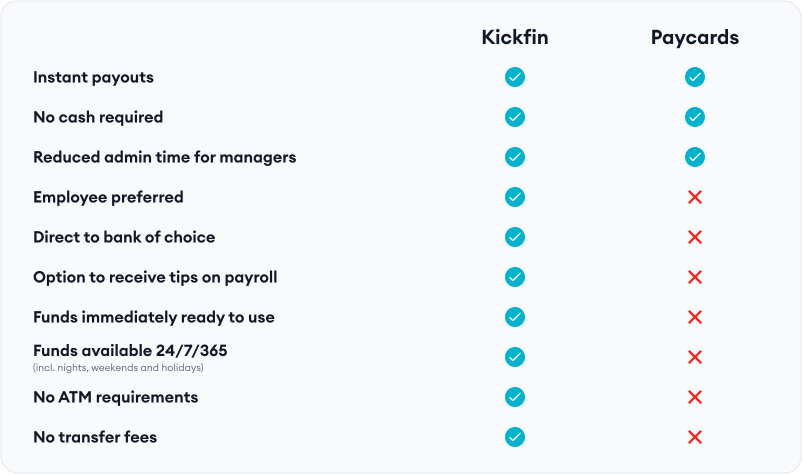
Once tip amounts are calculated, pay out your employees instantly: real time cashless tip-outs are sent directly to their bank of choice and are immediately accessible — 24/7, 365.
Both managers and employees can see exactly how tip-outs were calculated for fast, easy reporting (and zero tip disputes).
Join the pool party and cut you tip-out time down to seconds.

With automated tip pool calculations, you’ll cut down on admin time, give your managers hours back in their week — and keep employees from waiting around for their tips to be paid out.
Payouts are too important to mess up. With Kickfin’s tip pooling software, tips are automatically calculated based on the rules you set, minimizing the risk of human error and ensuring that payouts are compliant.


Provide employees with clear, detailed breakdowns of their tips, fostering trust and transparency within your team.
“Amazingly easy”
Kristi W., Owner
“Saves us time”
Leo C., Operating Partner
“A game changer”
Chris D., Owner
“The new way to pay”
Dale R., Owner





Kickfin offers a wide range of tip pooling, tip sharing, and tip out rules that are fully customizable and can leverage things like sales categories, hours worked, and even points. There are very few scenarios that we haven’t been able to accommodate and we continue to add new functionality every month.
Yes, we fully support shared POS numbers/terminals. We can build rules so that everyone can still receive their tips quickly and accurately.
Yes, Kickfin allows you to track and pay anyone clocked in for a given day/shift based on your tip policy/rules.
Yes, even if the tip is coming into the POS via a “user” that isn’t tied to an actual employee login, our rules engine has ways to accommodate that and distribute those tips based on your policy.
Yes, we have a specific rule configuration to address this scenario. It’s flexible enough that you can redistribute those tips in a variety of ways depending on your needs.
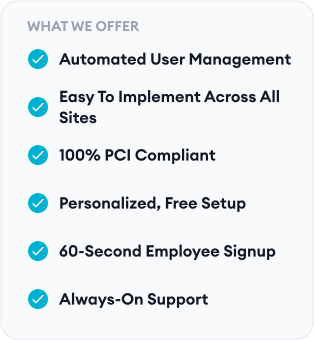
Customer admins have complete control over the rules and can update them at anytime. Access to change rules can be limited to privileged roles so that you can enforce standard and consistent tip sharing policies, regardless of who is issuing tip payouts.
Once the tip calculation integration is enabled, you can limit access to the manual payout methods so the calculator is the only way for shift managers to make payments. This enables you to have security against data entry errors or unauthorized payouts.